Watermelon score loop

Merge Fruits: Fold the Watermelon

Connect falling fruit, make a watermelon and push the leaderboard.

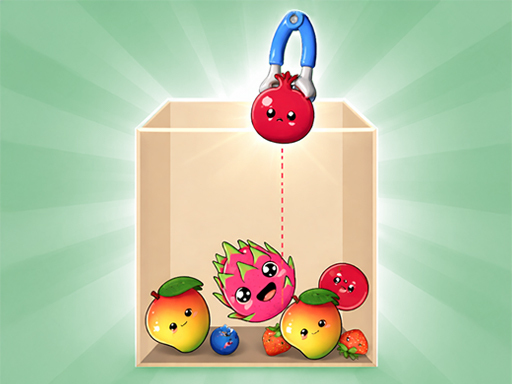
Merge Fruits: Fold the Watermelon game preview
Fold the WatermelonMove with your mouse or finger and release to drop.
Play styleWatermelon score loop
ControlsMouse and touch
LayoutLandscape
PaceOpen-ended

About Fold the Watermelon

Fold the Watermelon uses a straightforward falling-fruit board and a score-first loop. Creating the watermelon clears the largest piece, so a successful run can continue instead of ending at the final merge.

This version emphasizes the familiar climb from small fruit to watermelon without changing the core drop controls. A low side stack gives the larger stages room to settle and keeps the next merge visible.

Best for

Watermelon chasers who want an open-ended score loop.

Listing reviewed July 28, 2026. We checked the embedded player, responsive layout, stated controls and direct-open fallback in current desktop and mobile browsers.
Game supplied through GameMonetizeDistribution listing

How to play

  1. Drop fruit into the play zone.
  2. Connect identical pieces until a watermelon appears.
  3. Use the cleared space to continue building your score.

Useful strategy

  • Plan for the watermelon clear instead of treating it as the finish.
  • Keep matching sizes close enough to meet after a bounce.
  • A low, even board gives the next fruit more options.

Try another merge

Similar controls, different boards and fruit chains.

See all games

Fold the Watermelon questions

Everything needed to start a round in your browser.

How do I control Fold the Watermelon?

Move with your mouse or finger and release to drop.

Can I play Fold the Watermelon on mobile?

Yes. The game supports touch controls and scales to a phone or tablet. Landscape orientation gives the play area more room.

Do I need to install the game?

No. Press Start game and the playable version loads inside this page.